

Opening an index.html directly from disk seems convenient until the page needs to load another file.
Firefox treats local file:// URLs as unique origins, so a page cannot reliably fetch a sibling data.json file as if both belonged to the same website. Firefox's origin behavior is one reason developers usually start a local HTTP server instead.
The usual workaround is npx serve or python -m http.server. Firefox 153, released on July 21, 2026, introduced a built-in alternative called Local Mode.
Quick take: Local Mode lets you serve static files through a custom HTTPS origin without starting a local server. It is useful for small Firefox experiments, but it cannot replace a full development environment.
What Firefox Local Mode actually does
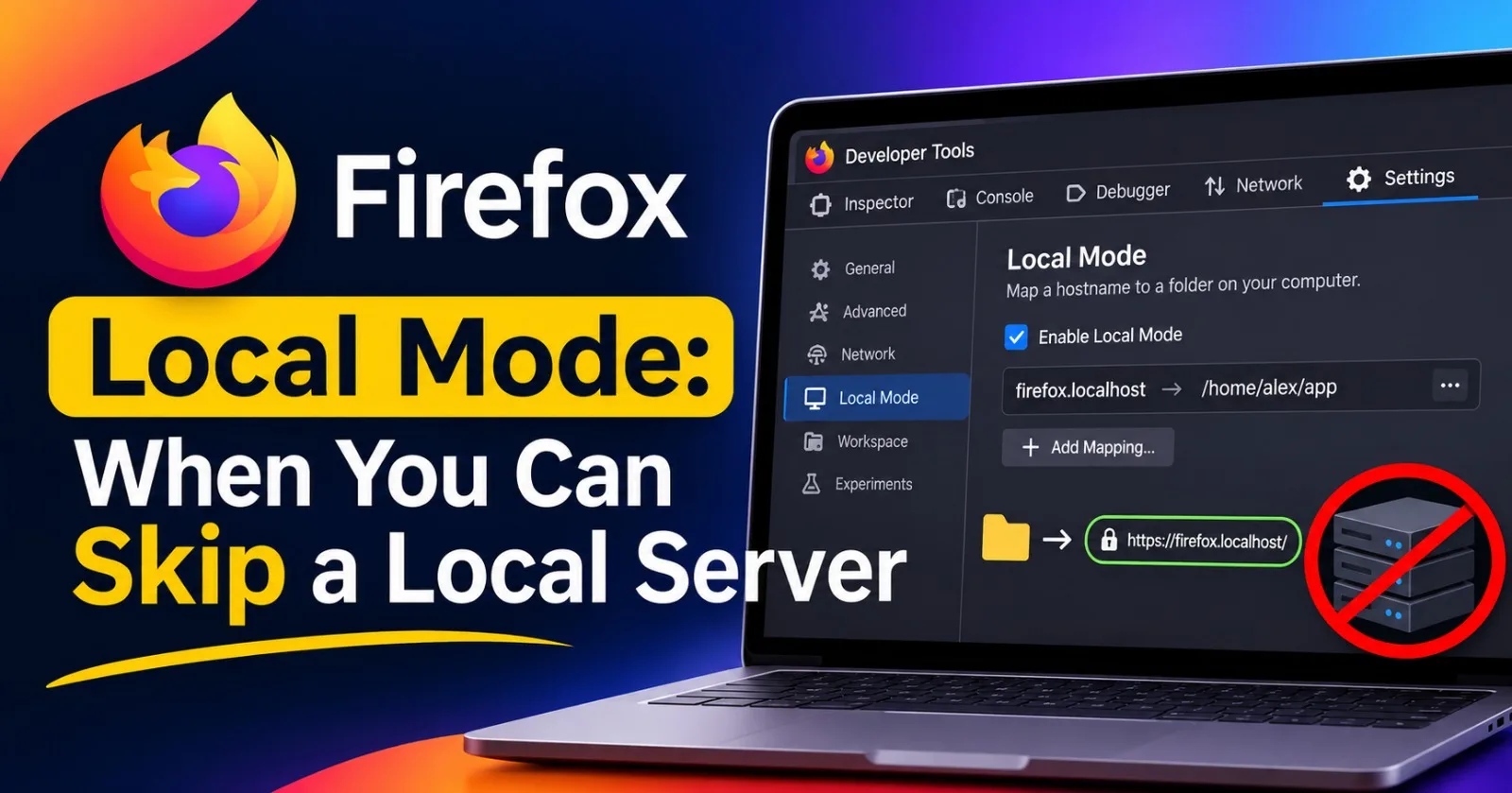
Local Mode maps a hostname to a folder on your computer. Firefox then serves that folder through an HTTPS address such as:
https://firefox.localhost/
The official Firefox documentation confirms that you can register multiple mappings, each with its own origin and local folder.
There is no server process listening for incoming connections. Instead, Local Mode intercepts matching requests inside Firefox and responds with files from the mapped directory. The Firefox implementation handles this directly.
Directory requests look for index.html or index.htm. When neither exists, Firefox displays a directory listing. A request for a missing file returns a 404 from Local Mode itself, rather than falling through to a real server running on that hostname.
For ordinary files, Firefox infers the Content-Type from the request URL when it can identify the file type.
Setting it up
There are two ways to create a mapping.
First, open DevTools, go to the Options panel, and add an origin and its corresponding local folder.
Alternatively, open DevTools and load a file:// URL. Firefox displays a notification with two options:
Add To Settings: Opens the Options panel so you can save a permanent mapping.
Try it: Creates a temporary mapping that disappears when DevTools or Firefox closes.
You can also manage mappings through about:config. Each mapping uses three preferences:
devtools.local-mode.mappings.0.origin = "firefox.localhost"
devtools.local-mode.mappings.0.path = "/home/alex/app"
devtools.local-mode.mappings.0.disabled = false
The preferences can be transferred between profiles or managed through automation.
Two limitations are important. Mappings only work while DevTools is open, and they are accessible only from Firefox. Other programs on your computer or network cannot use them.
Prefer a .localhost hostname for your mappings. Avoid mapping a real website's hostname: matching requests are intercepted, and missing files return 404 instead of reaching the actual website.
The real benefit: separate origins
Mozilla describes Local Mode as a way to test APIs that require secure contexts. That benefit needs some context.
MDN already identifies both file:// and http://localhost as potentially trustworthy origins for secure-context purposes. See MDN's secure contexts documentation.
The bigger advantage is that Local Mode gives each project a proper HTTPS origin instead of relying on a page opened directly from disk.
That also gives projects separate browser storage. Each mapping has its own origin, with its own localStorage and origin-scoped data.
Cookies have a different rule: they are not isolated by port. Two projects running on different ports of the same hostname can still share cookies, subject to normal cookie domain and path rules. By giving projects different hostnames, Local Mode makes their default storage boundaries easier to manage.
This is particularly useful when experimenting with several small projects that should not share browser state.
What Local Mode does not replace
| Development need | Local Mode | Conventional dev server |
|---|---|---|
| Static HTML, CSS and JavaScript | Yes | Yes |
| Fetch sibling JSON files | Yes | Yes |
| Backend, API routes and SSR | No | Yes |
| Bundling, TypeScript and JSX transforms | No | Yes |
| Hot reload | No | Yes |
| Client-side routing with fallback | No, requires server-side fallback | Yes, with fallback configuration |
| Custom response headers (CORS, CSP, COOP/COEP) | No | Yes |
| Chrome or Safari testing | No, Firefox only | Yes |
| Works with DevTools closed | No | Yes |
| Service workers | No, see limitation below | Yes |
One limitation deserves special attention: service workers do not currently work reliably with Local Mode.
Mozilla tracks this in Bug 2085137, titled ServiceWorker installation fails in local mode. As of November 21, 2026, the bug remains open.
Mozilla's triage notes explain that service-worker script requests, along with worker-initiated importScripts() and fetch() requests, are excluded before Local Mode can intercept them. Firefox consequently tries to fetch those resources through a real connection instead.
Until this is fixed and verified in a release, use a conventional local server for service-worker, PWA and offline testing.
There is another important distinction around response headers. Local Mode can infer a Content-Type, but it does not provide a way to configure arbitrary response headers. Its file-serving path does not add the wildcard Access-Control-Allow-Origin: * header either. The NetworkOverride implementation shows that this CORS bypass is optional and disabled by default for the Local Mode file-serving path.
That makes Local Mode unsuitable for testing custom CORS, CSP, COOP or COEP response policies.
One more Firefox 153 change for local developers
Firefox 153 also enabled Local Network Access restrictions by default for desktop users.
When a public website tries to connect to devices on your local network or applications and services running on your computer, Firefox asks for permission before allowing the connection.
Extensions also lost automatic access to file:// URLs. They now require a separate permission called Access local files on your computer, which is disabled by default, including for previously installed extensions.
These changes are documented in the Firefox 153 release notes.
This matters when testing a hosted application that communicates with a local service or using browser extensions that inspect files on your computer.
So, when should you use Firefox Local Mode?
Local Mode is best treated as a lightweight testing tool rather than a replacement for your development environment.
Use it to reproduce bugs from downloaded projects, test static files that rely on fetch(), or experiment with separate browser origins without starting a server.
Use a conventional development server when your project needs backend routes, bundling, hot reload, service workers, custom response headers, or cross-browser testing.
The real benefit of Local Mode isn't eliminating localhost. It's removing the need to start a server for experiments that don't actually need one.
Technical details checked against Mozilla's Firefox Local Mode documentation, Firefox source code and Bugzilla on November 21, 2026. Local Mode was introduced in Firefox 153; browser behavior and implementation may change in later releases.
Published via ZyVOP — Write once in Markdown, auto-backup to GitHub, and syndicate to Dev.to, Medium & Hashnode in 1 click.
About the author
- One platform to write, cross-post to Dev.to, Medium, WordPress, Hashnode, and Bluesky, and protect your SEO with canonical links. Zero paywalls and full content ownership.
Comments
Join the discussionNo comments yet. Be the first to comment.