
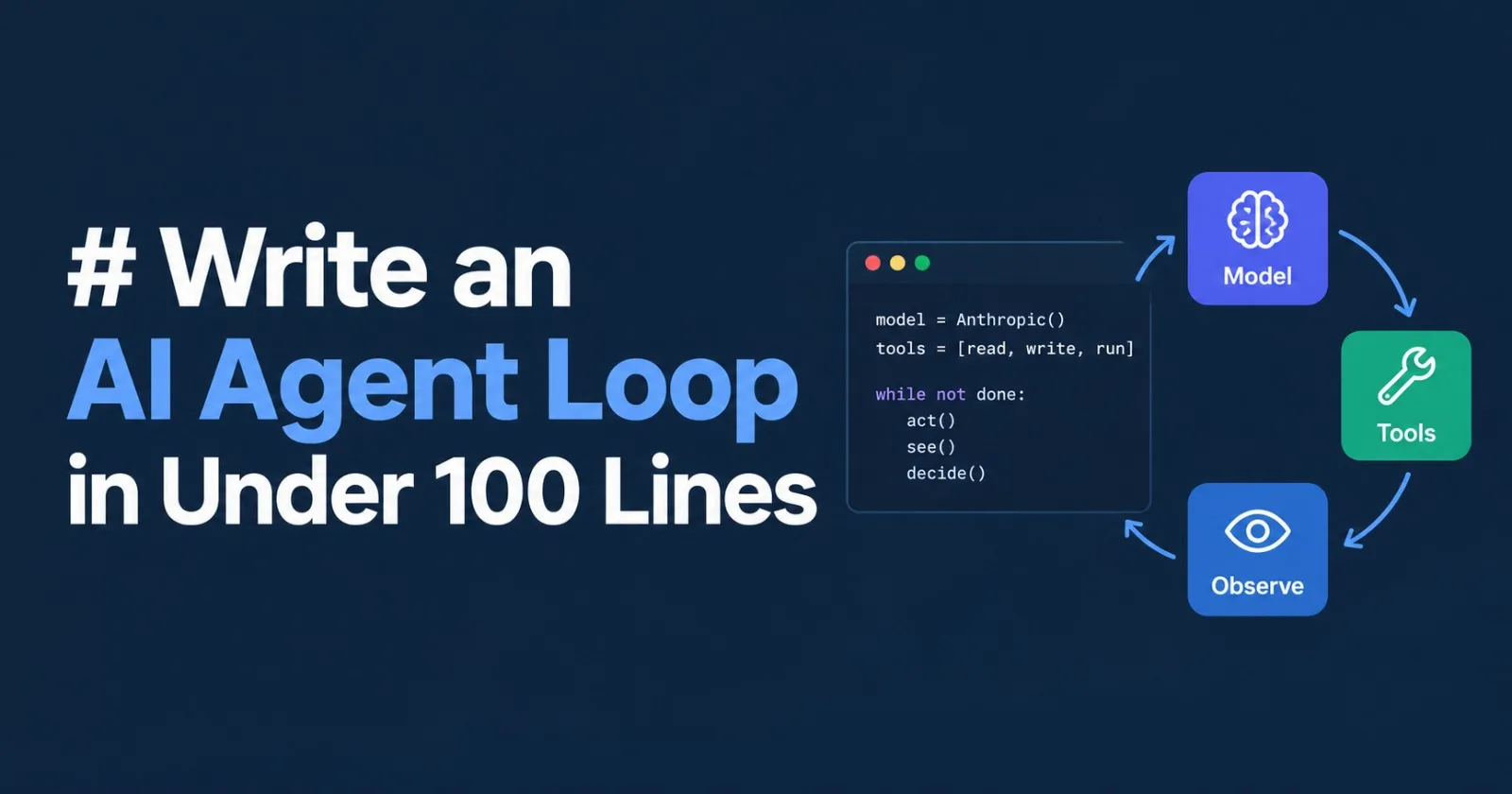
Frameworks make agents look complicated, but the core of every agent is small: a model, a few tools, and a loop that lets the model act, see what happened, and decide what to do next. Here is a working coding agent in plain Python, built on the Anthropic SDK.
Every code block below belongs to one file, agent.py. Paste them together in order and you have the whole program, which comes to roughly 75 lines.
Setup
import subprocess
import anthropic

client = anthropic.Anthropic()  # reads ANTHROPIC_API_KEY from the environment
MODEL = "claude-sonnet-5-5"
MAX_STEPS = 20
SYSTEM = "You are a careful coding agent. Look before you edit, and verify your work."
Only two imports are needed. MAX_STEPS is a circuit breaker that stops a confused agent from spinning forever, and the system prompt gives the model its working style.
Give it hands
An agent without tools can only talk. Three plain functions are enough to read code, change it, and run it:
def read_file(path):
    with open(path, encoding="utf-8") as f:
        return f.read()

def write_file(path, content):
    with open(path, "w", encoding="utf-8") as f:
        f.write(content)
    return f"wrote {len(content)} characters to {path}"

def run_shell(command):
    r = subprocess.run(command, shell=True, capture_output=True, text=True, timeout=30)
    return (r.stdout + r.stderr)[-4000:] or "(no output)"
Two details in run_shell matter. The timeout keeps a hanging command from freezing everything, and the output is cut to its last 4,000 characters because a runaway log would otherwise flood the model's context. Tails are kept rather than heads because errors usually appear at the end.
Describe the tools to the model
The model never sees your Python. It sees JSON schemas: a name, a description, and the expected parameters. A small registry builds each schema from the function itself, so a tool is declared in exactly one place:
REGISTRY = {}

def register(fn, description, **params):
    REGISTRY[fn.__name__] = {
        "fn": fn,
        "spec": {
            "name": fn.__name__,
            "description": description,
            "input_schema": {
                "type": "object",
                "properties": {p: {"type": "string", "description": d} for p, d in params.items()},
                "required": list(params),
            },
        },
    }

register(read_file, "Read a text file.", path="File path to read")
register(write_file, "Create or overwrite a text file.", path="Destination path", content="Full file contents")
register(run_shell, "Run a shell command and return stdout and stderr.", command="Command to run")

TOOLS = [t["spec"] for t in REGISTRY.values()]
The descriptions double as documentation the model reads, so clear wording here directly improves how well it picks and uses tools.
Run a tool call without crashing
def execute(block):
    try:
        return REGISTRY[block.name]["fn"](**block.input), False
    except Exception as e:
        return f"{type(e).__name__}: {e}", True
Failures are caught and returned as text rather than raised. A missing file or a bad command becomes information the model can react to, which is how agents recover on their own: it reads FileNotFoundError, reconsiders the path, and tries again. The boolean marks the result as an error so the API can flag it.
The loop
def run_agent(task):
    messages = [{"role": "user", "content": task}]
    for step in range(MAX_STEPS):
        response = client.messages.create(
            model=MODEL, max_tokens=4096, system=SYSTEM, tools=TOOLS, messages=messages
        )
        messages.append({"role": "assistant", "content": response.content})
        if response.stop_reason != "tool_use":
            return "".join(b.text for b in response.content if b.type == "text")
        results = []
        for block in response.content:
            if block.type == "tool_use":
                output, is_error = execute(block)
                print(f"[{step}] {block.name} -> {output[:80]!r}")
                results.append({
                    "type": "tool_result",
                    "tool_use_id": block.id,
                    "content": output,
                    "is_error": is_error,
                })
        messages.append({"role": "user", "content": results})
    return "Stopped: step limit reached."
Four things carry the design:
The message list is the agent's memory. The API is stateless, so every turn resends the full history, including the model's own replies. Nothing else needs storing.
stop_reasonis the exit condition. While the model wants a tool, the reason istool_use. Anything else means it has finished its answer, and the loop returns the text.Results travel back in a user message. Each result carries the
tool_use_idof the request it answers, which is how the model matches answers to questions.One reply can request several tools. The inner
forhandles that case, and all results go back together in a single message.
Run it
if __name__ == "__main__":
    print(run_agent(input("Task: ")))
Install the SDK with pip install anthropic, export your key, and run python agent.py. A session looks something like this:
Task: Create fizzbuzz.py for numbers 1 to 15, then run it to prove it works
[0] write_file -> 'wrote 112 characters to fizzbuzz.py'
[1] run_shell -> '1\n2\nFizz\n4\nBuzz\nFizz\n7\n8\nFizz\nBuzz\n11\nFizz\n13\n14\nFizzBuzz\n'
I created fizzbuzz.py and ran it. The output is correct for 1 through 15.
The model wrote the file, chose on its own to run it, read the result, and stopped. You never scripted that sequence.
Before you point it at anything important
run_shell executes whatever the model decides, with your user's permissions. Run the agent in a container or a throwaway directory, and consider adding a confirmation prompt before shell commands.
From here, the natural upgrades are all small additions to the same skeleton: streaming responses for a live feel, trimming or summarizing old messages once the history grows long, and adding tools for search, HTTP requests, or a database. The loop itself rarely needs to change.
Frequently Asked Questions
What are the three core components of the coding agent shown in the article?
A model, a small set of tools (read_file, write_file, run_shell), and a loop that lets the model act, observe results, and decide the next action.
How does the agent avoid running forever?
It uses a MAX_STEPS limit (default 20) as a circuit breaker; when the step count reaches this limit the loop stops and returns a message.
What functions are provided as tools for the agent and what does each do?
read_file reads a text file and returns its contents; write_file creates or overwrites a file with given content and reports the number of characters written; run_shell executes a shell command, captures stdout and stderr, limits execution to 30 seconds, and returns the last 4,000 characters of output.
How are the tools described to the language model?
Each tool is registered with a JSON schema containing its name, description, and input parameters; the list of schemas (TOOLS) is passed to the Anthropic API so the model knows what functions it can call.
What happens if a tool call raises an exception?
The execute function catches the exception, returns the exception type and message as a string, and marks the result with is_error=True so the model can react to the failure.
How does the loop know when the model has finished its task?
After each response the loop checks response.stop_reason; any reason other than "tool_use" means the model is done, and the accumulated text content is returned.
What safety measures are recommended before running the agent on real code?
Run the agent in an isolated container or throwaway directory, and consider adding a confirmation step before executing shell commands because run_shell runs with the user's permissions.
What are common ways to extend the basic agent skeleton?
Add streaming responses, trim or summarize old messages to keep history short, and register additional tools such as web search, HTTP requests, or database access without changing the core loop.
Published via ZyVOP — Write once in Markdown, auto-backup to GitHub, and syndicate to Dev.to, Medium & Hashnode in 1 click.
About the author
- One platform to write, cross-post to Dev.to, Medium, WordPress, Hashnode, and Bluesky, and protect your SEO with canonical links. Zero paywalls and full content ownership.
Comments
Join the discussionNo comments yet. Be the first to comment.